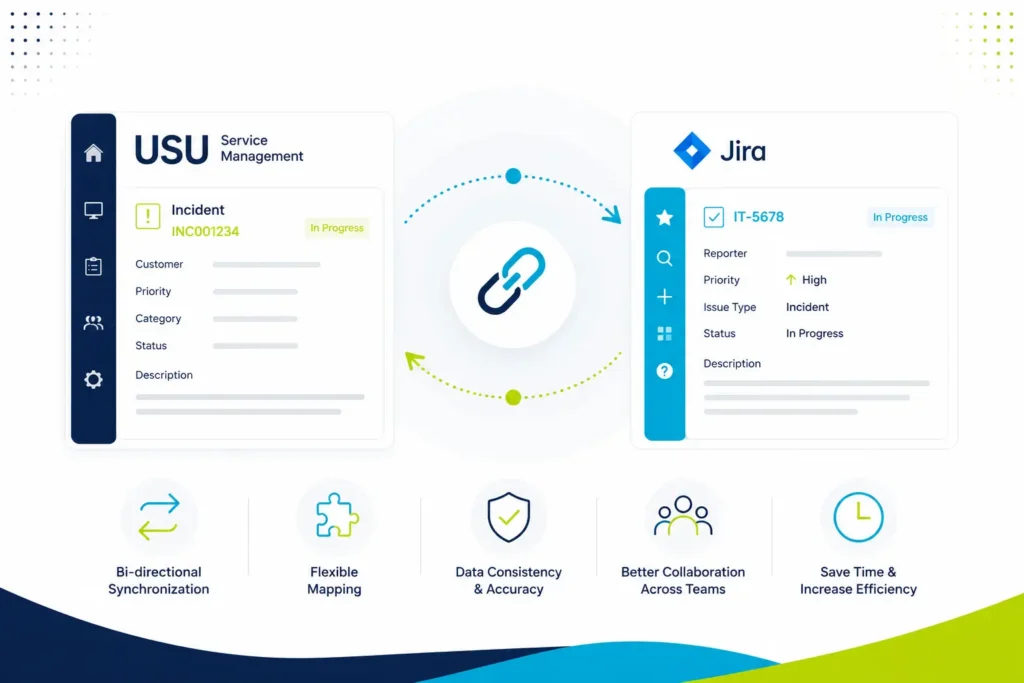
Connect Jira and USU Service Management
Automatically synchronize Jira issues, USU tickets, comments, attachments and workflows to keep your IT and development teams perfectly aligned.
Integration between USU Service Management (Valuemation) and Jira, synchronize Jira Issues with USU Tickets.
One integration. One source of truth.
Organizations often use Jira for development while USU Service Management manages enterprise ITSM processes.
The USU Service Management Connector bridges both platforms, automatically synchronizing tickets, comments, attachments and workflows so every team works with the same information.
Connect Jira and USU Service Management
Two platforms. One seamless workflow.
Why choose USU Service Management Connector
Eliminate manual work
No more copying ticket updates between systems.
Improve team collaboration
Keep IT and development teams aligned.
Faster incident resolution
Keep incidents synchronized across Jira and USU.
Flexible integration
Adapt synchronization to your own business processes.
Enterprise ready
Designed for enterprise ITSM environments.
One source of truth
Maintain consistent ticket information across both platforms.
Features of USM Connector for Jira
- Synchronize Jira Issues with USU Tickets in both directions
- The synchronization can be event-driven (e.g. when an Issue is created) or manual (by clicking on the button Sync with USU).
- Configurable field mapping. You can change the default mapping and extend it with your custom fields.
- The events can be extended by a JQL Condition. It is useful when you want to synchronize only some Issues (e.g. with specific Issue Type).
- The default configuration covers Issues, Comments and Attachments.
- The Connector has two parts: the Jira Plugin and Customization for USU Service Management. The USU Part will be provided by Sykora IT.
- With the synchronization you will save time and money by avoiding duplicate inserting of the same data in Jira and USU.
- With USM Connector for Jira: Object Select you can select objects from USM in Jira
Resources and more details
Connector documentation
Comprehensive set of documentation on how the Connentor works
Read a blog
Read about USM Connector for Jira
Open the communication between USM and Jira today.
Perfect for
- Enterprise IT teams
- Service desk
- Managed service providers
- IT operations
- Software development teams
- Organizations using both Jira and USU Service Management
FAQs
What is the USU Service Management Connector for Jira used for?
The USU Service Management Connector for Jira enables seamless integration between USU Service Management and Jira, helping teams synchronize tickets, workflows, and service processes across platforms. It improves collaboration between IT operations, development, and support teams while reducing manual work and data silos.
The connector supports automated synchronization of incidents, requests, changes, comments, statuses, and attachments, enabling organizations to streamline cross-platform ITSM workflows and improve service delivery efficiency.
What are the main benefits of integrating USU Service Management with Jira?
The connector helps organizations unify processes between Jira and USU environments without forcing teams to change their preferred tools. Teams can continue working in their native platforms while data stays synchronized automatically in the background.
Typical use cases include cross-team collaboration, centralized ITSM operations, escalation management, DevOps-to-ITSM workflows, and enterprise service coordination between support, operations, and development teams.
Can the connector be used for a migration from USM to Jira?
Yes, the USU Service Management Connector for Jira can also support migration projects from USU Service Management to Jira Service Management. While the solution is primarily designed for live bidirectional integration and synchronization, its USM integration capabilities can significantly accelerate migration projects and simplify the transition to modern Atlassian based ITSM environments.
Can the connector be customized for our processes?
Yes. The connector offers flexible configuration options, including field mapping, object mapping, synchronization rules, and workflow synchronization, allowing it to adapt to your business processes without extensive custom development.
Does the connector support bi-directional synchronization?
Yes. The connector supports bi-directional synchronization between Jira and USU Service Management, keeping tickets, comments, attachments, workflows, and mapped fields synchronized across both platforms.
Is the connector suitable for enterprise environments?
Yes. The connector is designed for enterprise deployments and supports complex integration scenarios, helping organizations maintain consistent data and efficient collaboration between Jira and USU Service Management.
Ready to connect Jira and USU?
👉 Contact us today — we’ll get in touch to discuss your needs.
Explore More:

Migrating to Jira Service Management: Challenges and Best Practices
Migrating to Jira Service Management: Challenges and Best Practices Why Migrating to Jira Service Management Is More Than a Data Import

Connecting USM to Jira
We would like to share our experience connecting USM (USU Service Management) with Jira. Introduction USU Service Management (USM) is

IT Asset Management in Jira Assets
Why IT Asset Management matters? Managing IT assets has become a critical discipline for modern organizations. From laptops and servers to

Atlassian Rovo in Practice (Free Introduction)
Explore real-world Atlassian Rovo use cases for your business Let’s talk about your use cases (free introduction) Are you exploring how
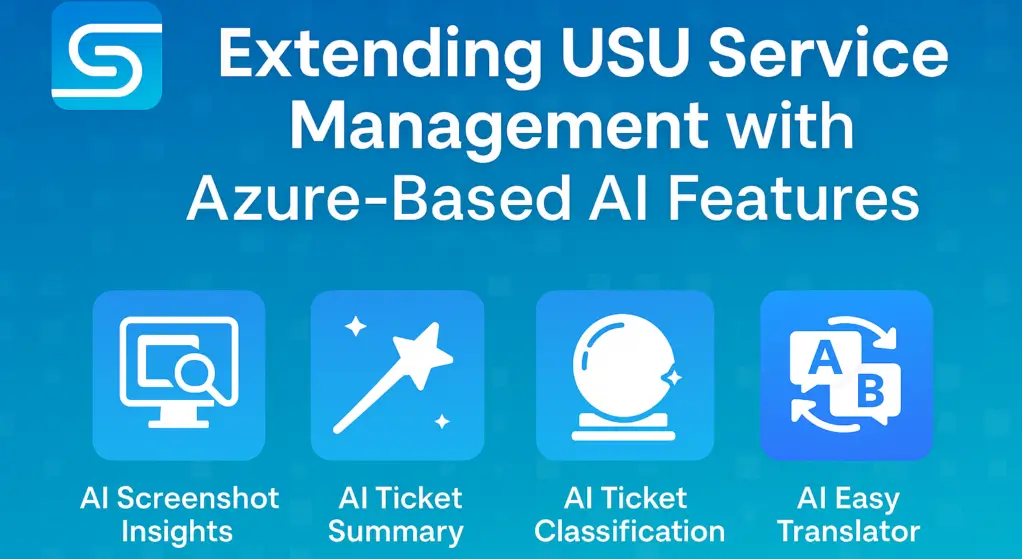
Extending USU Service Management with Azure-Based AI Features
When AI Cloud Meets On-Prem Solutions AI has already become part of our daily lives—whether in our phones, cars, email,

Manage Azure Assets in Jira Cloud Webinar
How to manage Assets in Jira Join us for a practical webinar on building an effective Cloud Asset Management platform in