
A complete solution for time, budgets, and project control in Atlassian
Track your time directly in Jira
If your organization already uses Atlassian Jira for managing work, projects, or service delivery, it makes little sense to track time in a separate system. Many companies still rely on disconnected tools for time tracking, reporting, and financial control. This leads to duplicated work, inconsistent data, and limited visibility.
With Jira time tracking powered by Tempo Timesheets, you can bring everything together in one system.
As Atlassian experts, we help organizations in DACH and Czechia design and implement integrated solutions where Jira becomes the central platform for work management, time tracking, and financial insights.
The result is a single source of truth that improves transparency, reduces manual effort, and enables better decision making.
Why Jira time tracking with Tempo
Traditional time tracking often happens after the work is done. Employees enter hours at the end of the week, project managers work with outdated data, and finance teams spend time reconciling numbers.
By using Tempo Timesheets in Jira, time tracking becomes part of the daily workflow.
- Time is logged directly on Jira issues
- Data is captured in real time
- Reports always reflect the current state of projects
- Manual and duplicate data entry is eliminated
This approach significantly improves data quality and user adoption.
Who benefits from Tempo Timesheets in Jira
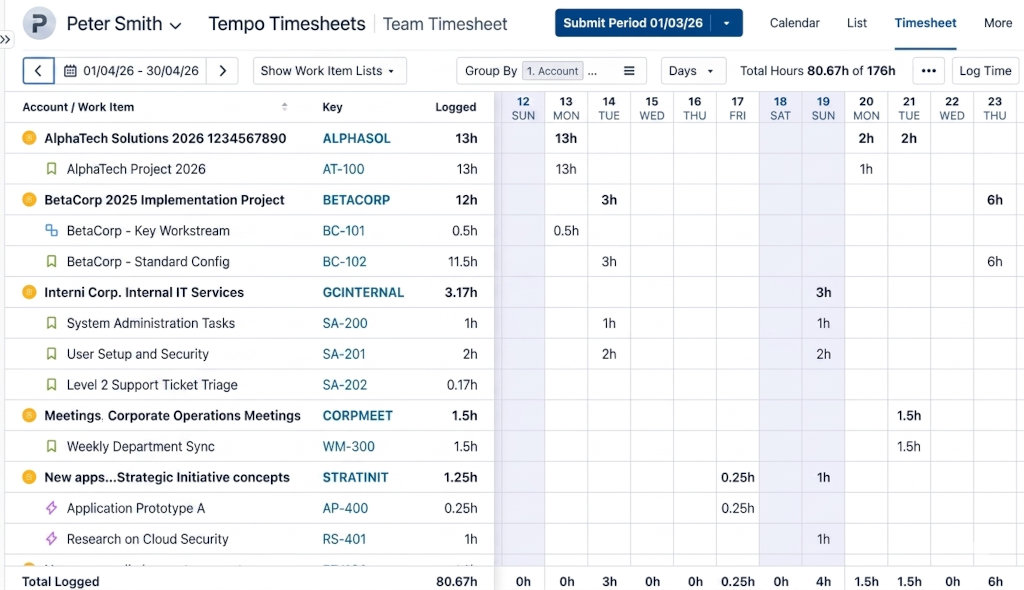
Employees and project members
For employees, Jira time tracking becomes simple and intuitive.
They can log time directly where they work, without switching tools. This reduces administrative overhead and improves accuracy.
Automatic tracking features can further simplify the process. At the same time, employees gain full visibility into their workload and working hours.
Instead of reconstructing their week, they track time naturally as part of their workflow.
Project managers
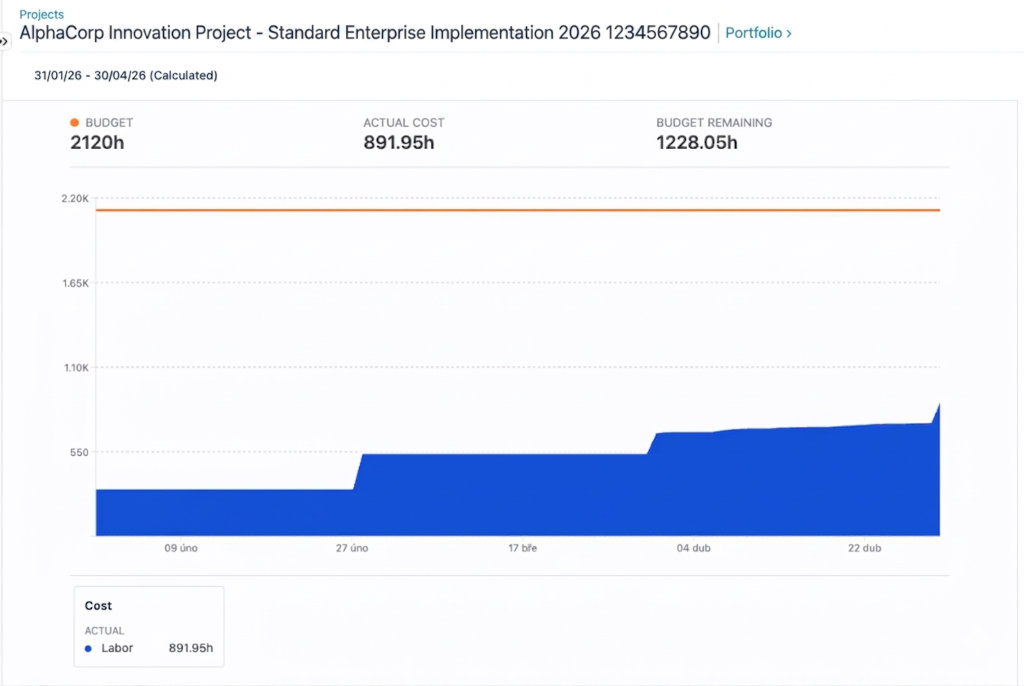
Project managers benefit from real time insights into delivery and financial performance.
With Tempo Timesheets and Tempo Financial Manager, they can monitor:
- Actual hours spent on tasks and projects
- Budget consumption in real time
- Billable and non billable work
- Resource allocation and planning
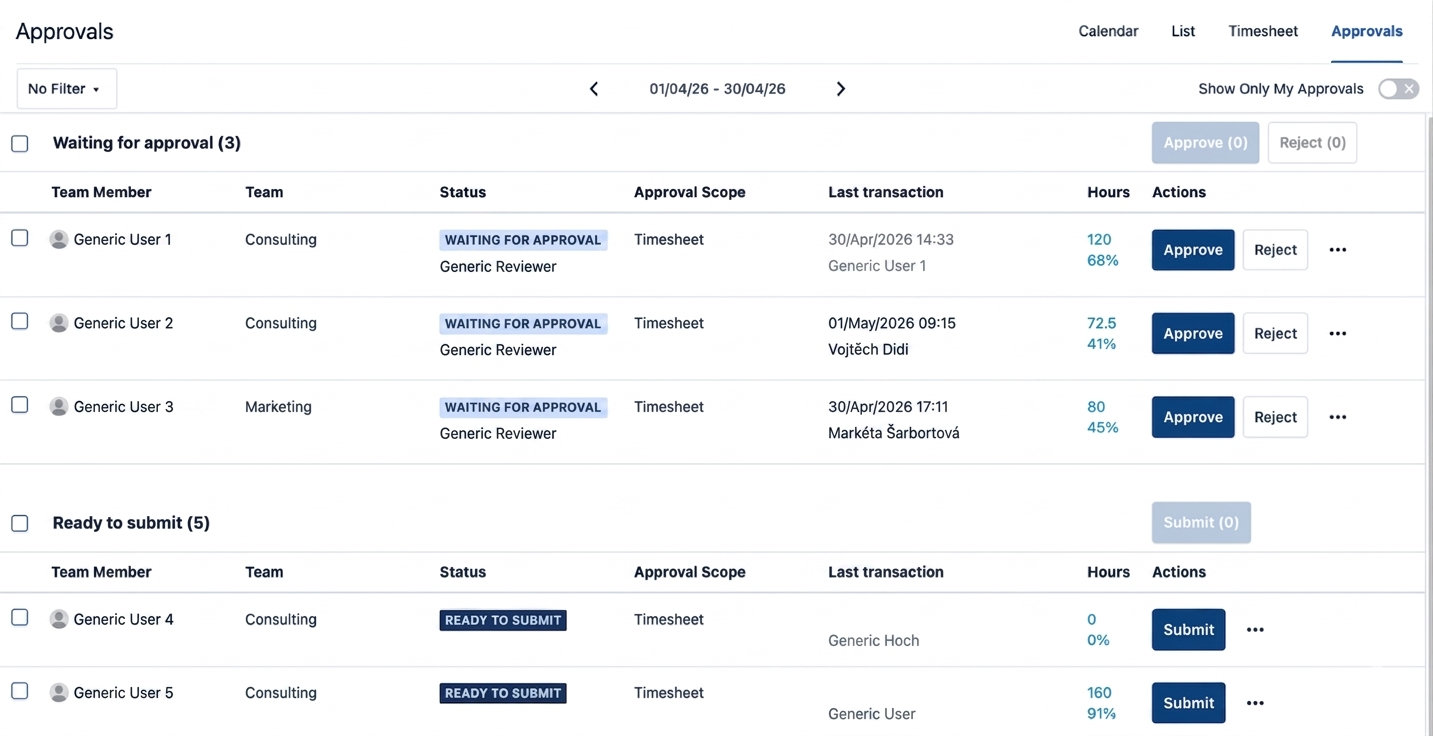
Approval workflows ensure that time data is validated before it is used for reporting or invoicing.
Advanced reporting options allow exporting data or connecting Jira to tools like Power BI for deeper analysis.
This makes Jira not just a task management tool, but a complete project control system.
HR and finance teams
HR and finance teams need reliable data for payroll, invoicing, and compliance.
With Tempo Timesheets in Jira, they gain a structured and auditable system for tracking working hours.
- Timesheets can be reviewed and approved
- Data is consistent and centrally available
- Historical records can be filtered by employee, department, or project
This reduces manual reconciliation work and improves accuracy across financial processes.
Company management
For management, Jira time tracking with Tempo provides a clear overview of business performance.
Leaders can analyze:
- Project profitability
- Resource utilization
- Portfolio level financial performance
- Cost allocation across projects
With real time and reliable data, decisions are based on facts instead of assumptions.
This is especially important for organizations managing multiple projects or operating in professional services environments.
How Jira and Tempo work together
The solution is built on Atlassian Jira, extended with Tempo applications.
Tempo Timesheets for Jira time tracking
Tempo Timesheets is one of the leading solutions for time tracking in Jira.
It allows users to log time against predefined accounts such as customers, internal initiatives, or cost centers. Approval workflows ensure control and compliance.
Tempo Financial Manager for budget control
Tempo Financial Manager adds financial visibility to your Jira projects.
You can define budgets, track costs, and analyze financial performance in real time. This connects operational work with financial outcomes.
Reporting and analytics
Tempo provides flexible reporting capabilities for different roles.
Data can be exported or integrated with external tools such as Power BI. This enables advanced dashboards and tailored reporting for management, finance, or operations.
From fragmented tools to an integrated Atlassian solution
Organizations that use separate tools for work management and time tracking often face the same challenges.
Data is duplicated. Reports are delayed. Users spend time on administrative tasks instead of productive work.
By implementing Jira time tracking with Tempo Timesheets, supported by experienced Atlassian experts, you can unify your processes.
This leads to:
- Higher data quality
- Real time reporting
- Reduced administrative effort
- Better collaboration across teams
- Stronger financial control of projects
Why work with Atlassian experts
Implementing Jira and Tempo is not just about installing apps. It requires aligning tools with your processes, roles, and reporting needs.
As Atlassian experts, we support organizations with:
- Jira and Tempo implementation
- Process design for time tracking and approvals
- Integration with finance and reporting systems
- Custom dashboards and reporting
- Optimization of existing Atlassian environments
Our focus is on creating solutions that are practical, scalable, and aligned with your business goals.
Want to see Jira time tracking with Tempo in action?
Every organization has different requirements for time tracking, reporting, and financial control.
We would be happy to show you how Tempo Timesheets and Jira can be tailored to your environment and how you can benefit from an integrated Atlassian solution.
Let’s have a conversation.

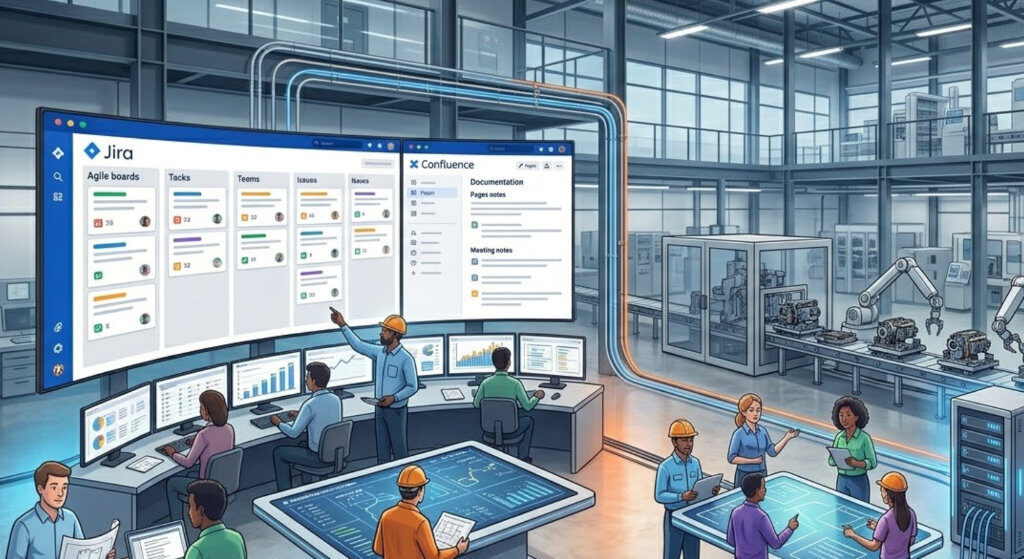
How Jira, Confluence, and AI Are Transforming Collaboration in Manufacturing Companies
Manufacturing companies today operate in increasingly complex environments. Product development is no longerf a linear process. It requires close collaboration between hardware and software teams, production, and business functions such as sales and marketing. At the same time, many organizations still rely on a mix of disconnected tools. Spreadsheets are used for

Atlassian Admin Training
Master Jira, Confluence, and Atlassian Cloud Administration Empower your team to manage Atlassian tools with confidence. Our Atlassian Admin Training helps administrators understand the full potential of Jira, Confluence, and Atlassian Cloud, from configuration and automation to governance and security. Book a training Build real admin skills Hands-on demos based on

Migrating to Jira Service Management: Challenges and Best Practices
Migrating to Jira Service Management: Challenges and Best Practices Why Migrating to Jira Service Management Is More Than a Data Import Organizations modernizing their IT Service Management (ITSM) landscape increasingly choose Jira Service Management (JSM) as their strategic platform. Whether the source system is USU Service Management (USM), Redmine, ServiceNow, Matrix42,